Skip to Content
Encrypted Post Type - Home
  • Purchase
  • Knowledge Base
  • Support
Purchase

Hiding tags from the sidebar

1 min read

If you have tags in the sidebar that you no longer need you can archive them. Any post linked to the tag will still remain linked, and the tag will still be available via ‘Manage Tags’, but the tag won’t display in the sidebar.

To hide a tag from the sidebar give the tag a description of either archived or Archived.
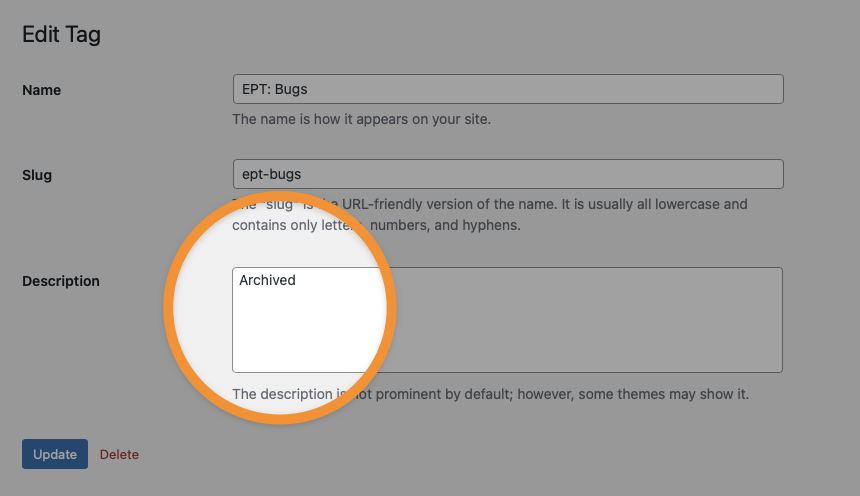
Simply type archived or Archived in the description and the tag won’t display in the sidebar

Was this information helpful?

Thumbs Up (Positive)

    Thumbs Down (Negative)


      All articles

      • About Encrypted Post Type
      • Beginners guide to using tags
      • Glossary of terms
      • REST Key Management (RKM)
      • Hiding tags from the sidebar
      • Troubleshooting
      • Choosing the right block editor (Gutenberg) settings
      • Naming your post type

      Anything important that you want to keep private and secure, Encrypted Post Type is the place to put it.

      Download free version*

      *Available for free from wordpress.org.

      Encrypted Post Type Footer

      • Request a Feature

      Copyright ©2022 Shaun Jenkins. All Rights Reserved.
      Proudly Made in UK